
Hardware Marketing Series · Part 9 of 16
If you could focus on only one marketing channel for your hardware store or lumberyard, Google Business Profile would be a strong contender.
It’s often the first thing customers see when they search for a local hardware store, lumberyard or specific product. And unlike ads, it doesn’t need a constant budget to be effective. Yet many hardware stores treat their profile as “set it and forget it.”
At Mountain Mojo Group, we see it all the time: strong stores with outdated photos, incomplete information or profiles that don’t reflect how the business actually operates. Here’s how to build and maintain a Google Business Profile that supports local visibility, builds trust and drives real in-store and phone traffic.
This guide is Part 9 of our 16-part hardware marketing series. Each article walks through one step in building a connected marketing strategy for independent hardware stores and lumberyards, from organizational clarity to a complete marketing system built for long-term growth.
Free checklist · Step 9 of 16
Google Business Profile Checklist
This checklist helps you:
- Complete and optimize your profile
- Improve local visibility
- Build trust through reviews and visuals
- Maintain consistency over time
Why Google Business Profile Matters for Hardware Stores
Google Business Profile plays a critical role in how customers discover and evaluate your store. It shapes your local search visibility, first impressions, customer trust, and in-store visits and calls. For many customers, your profile is your storefront before they ever arrive in person.
A strong profile quickly answers:
- Are you nearby?
- Are you open?
- Do you carry what I need?
- Can I trust this business?
For hardware stores, Google Business Profile often captures high-intent searches from customers who are ready to visit or buy. That’s why keeping it accurate, active and aligned with your brand matters so much.
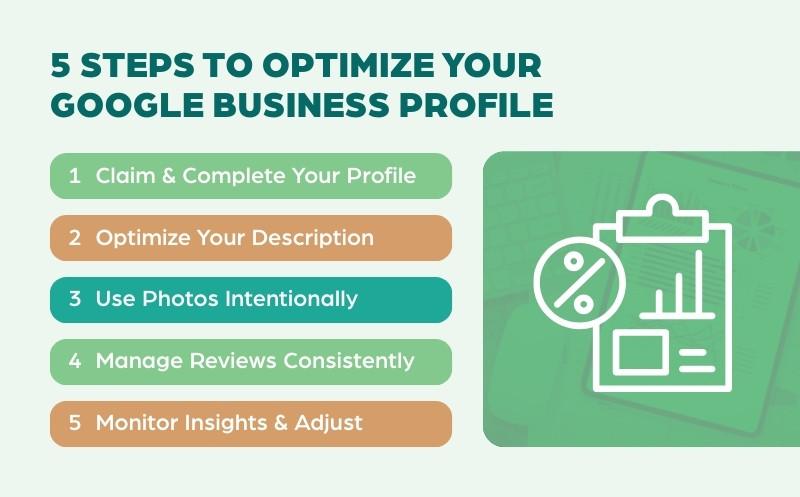
Step 1: Claim and Fully Complete Your Profile
If you haven’t claimed and verified your Google Business Profile, start here. Think of it as your digital storefront. If key details are missing or inconsistent, Google struggles to understand who you are and when to show you.
The Essentials Checklist
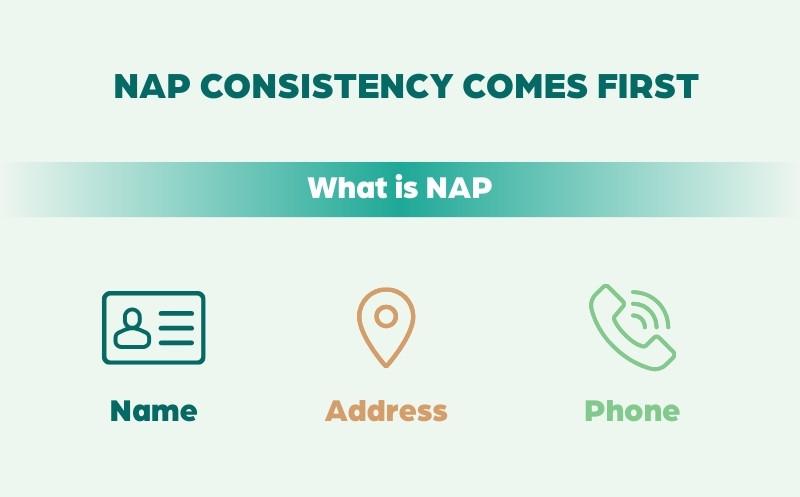
- NAP consistency: Your business name, address and phone number must match exactly across your website, Google Business Profile and other listings.
- Service areas: If you serve customers beyond your physical location, define your service radius so Google knows where your business is relevant.
- Strategic categories: Your primary category carries the most SEO weight. Choose the most specific category available, not the broadest.
Why This Matters for SEO
Google uses profile completeness as a trust signal. Incomplete profiles are less likely to appear in the Local 3-Pack, which captures the majority of local search clicks. Accuracy doesn’t just help customers; it helps Google confirm that your business is legitimate, active and relevant.
Step 2: Optimize Your Business Description
Your business description is your chance to explain what makes your store valuable. Use it to describe who you serve, highlight key offerings and reinforce your differentiators, like service, expertise and community.
Write for humans first, with clarity and honesty. A strong description sets expectations and helps customers quickly decide whether your store is right for them.
What is keyword stuffing? Repeating search terms unnaturally to try to rank higher in Google. It makes descriptions harder to read and can actually hurt your visibility. Google favors clear, natural language written for real customers, not search engines.
Step 3: Use Photos and Visuals Intentionally
Photos play a huge role in trust and engagement. Upload and regularly update:
- Exterior photos, so customers recognize the building
- Interior photos
- Product and department photos
- Team photos, when appropriate
Fresh photos signal that your business is active and well maintained. For hardware stores, visuals help customers feel confident that you carry what they need and that your store is easy to navigate.
Step 4: Actively Manage Reviews
Reviews are one of the strongest trust signals for local businesses. Make it a habit to encourage reviews from happy customers, respond consistently and address concerns calmly and professionally.
When you respond to a review, you’re speaking to more than one person. Future customers read your responses to decide whether to trust you, and Google uses review activity as a local ranking signal. Many owners also benefit from swapping review management strategies with other independent hardware retailers.
A strong review response does three things:
- Acknowledges the feedback
- Shows appreciation or accountability
- Reinforces your commitment to service
Handled well, even a negative review is a chance to show professionalism and build credibility.
Step 5: Use Posts, Updates and Q&A
Google Business Profile isn’t static. Use posts (updates, promotions, events), Q&A responses, and holiday hours and announcements to keep your profile fresh and send extra signals to Google. You don’t need to post daily. Even consistent monthly updates make a difference.
Step 6: Monitor Insights and Adjust
Google shows how customers interact with your profile. Review searches, calls, direction requests and website clicks to see what’s working and where to adjust. Google Business Profile works best as an ongoing asset, not a one-time task.
If you’d like help interpreting these insights, setting up proper tracking or finding optimization opportunities, book a discovery call with Rand.
Quick Action Steps for Hardware Store and Lumberyard Owners
Want to improve your Google Business Profile? Begin here:
- Verify your profile information. Confirm your business name, address, phone number and hours are accurate and match your website.
- Review your primary category. Make sure it reflects how customers search for your store.
- Upload current photos. Add updated exterior, interior and department photos so customers recognize and trust your store.
- Respond to reviews. Set a simple process for acknowledging positive and negative reviews in a professional, helpful tone.
- Schedule monthly updates. Post occasional updates, events or seasonal highlights to keep your profile active.
Small, consistent improvements often lead to stronger local visibility over time.
Download the Google Business Profile Checklist
To help you put this into action, we’ve created a free Google Business Profile Checklist built specifically for hardware stores and lumberyards. It builds directly on the channel audit from the previous guide and gives you a practical way to turn those insights into action.
Free checklist · Step 9 of 16
Google Business Profile Checklist
This checklist helps you:
- Complete and optimize your profile
- Improve local visibility
- Build trust through reviews and visuals
- Maintain consistency over time
Strengthen Your Local Presence
Your Google Business Profile is often the first, and most important, touchpoint for local customers. When it’s accurate, active and aligned with your brand, it becomes a powerful driver of visibility and trust. It’s the same approach we use at Mountain Mojo Group to help hardware stores show up stronger in local search and turn intent into visits.
In the next guide, we’ll cover how to build a social media plan that supports the same goals and personas. Later in the series, we’ll bring it all together in a marketing budget.
Want help applying this to your store?
Let’s talk about how customers find and choose your store.
The Hardware Marketing Series
This article is part of our complete marketing strategy framework for independent hardware stores, lumberyards, farm stores and ag stores, including retailers affiliated with Ace Hardware, True Value and Do it Best, and suppliers such as Orgill. Work through all 16 steps to build your strategy in a structured, intentional way. See the full series.
- How to Create Organizational Goals for Your Hardware Store
- How to Create Revenue Goals
- How to Perform a Market Share & Competitive Analysis
- How to Create Customer Surveys
- How to Define Mission, Vision & Core Values
- How to Audit Your Branding
- How to Create Target Personas with Shopping Behaviors
- How to Audit Social Media, Google Ads & SEO
- How to Build & Maintain Your Google Business Profile (you’re here)
- How to Build a Social Media Plan
- How to Build an SEO Strategy
- How to Build Social Media & Google Ads Campaigns
- How to Build an Email Newsletter
- How to Build a Content Calendar
- How to Build a Marketing Budget
- How to Build a Holistic Marketing Strategy